- Developer
- Rockstar Games
- Installs
- 5M+
- Downloads
- 0
- Views
- 2
- Updated
- Nov 6, 2026
Screenshots
About Grand Theft Auto: San Andreas
<!--
SEO TITLE: GTA: San Andreas on Mobile: Still a Miracle Port, Still a Compromise
META DESCRIPTION: A NovaRunway hands-on look at GTA: San Andreas on mobile — how auto-aim carries combat, which missions expose touch controls, the frame-rate fixes, file size, controller support, and whether the Definitive Edition is worth it.
SLUG: /games/gta-san-andreas-mobile-review
- ->
<h1>GTA: San Andreas on Mobile: A 70-Hour Epic That Fits in Your Pocket, With Caveats</h1>
<p><em>Updated November 2026 · Written by the NovaRunway editorial team</em></p>
<div class="quick-verdict">
<h2>Quick Verdict</h2>
<p><strong>GTA: San Andreas</strong> on mobile is not a slimmed-down spin-off. It is the full 2004 game — three cities, 100-plus missions, the same radio stations, the same ridiculous story — running on a phone. That alone makes it remarkable. What it is not is a version that controls as precisely as the PC or console releases. Touch input works, and auto-aim quietly does a lot of the combat work for you, but fast driving missions and anything requiring mid-air precision will remind you that you are playing a 20-year-old game through a glass rectangle. If you have a controller, most of those complaints evaporate. If you do not, it is still playable — just expect a period of adaptation and a few missions you will replay more than you would like. Buy it for the world and the story, not for the controls.</p>
</div>
<h2>What You Are Actually Getting</h2>
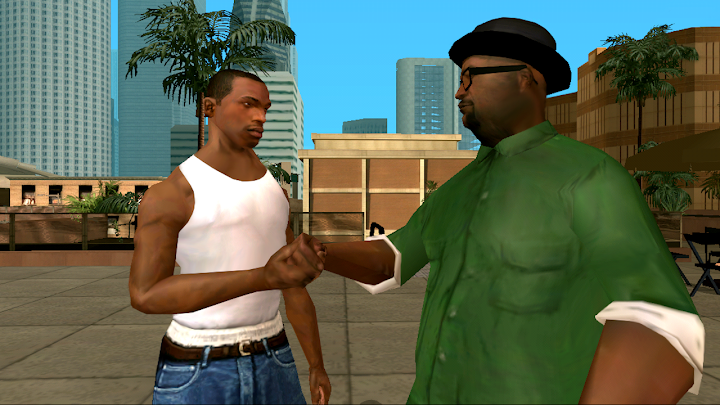
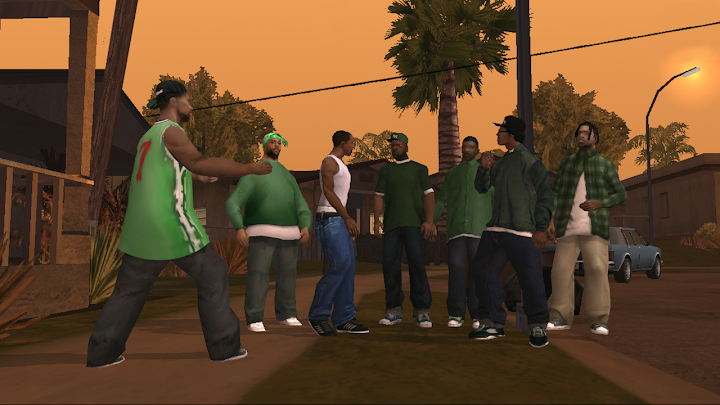
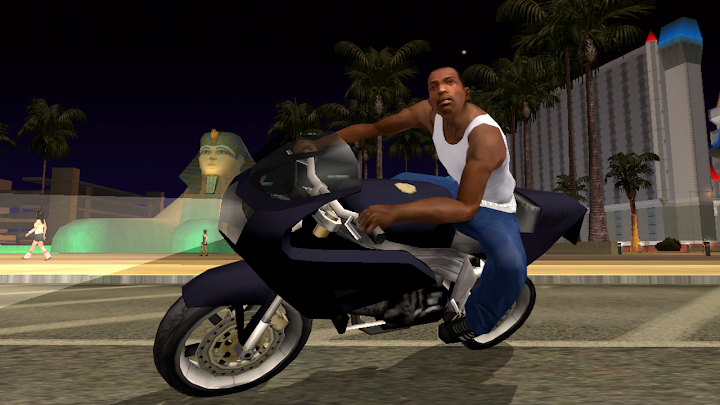
<p><strong>GTA: San Andreas</strong> is the 2004 open-world crime game set in the fictional state of San Andreas. You play Carl “CJ” Johnson, returning to Los Santos after his mother’s murder, and the story expands from a gangland revenge plot into a state-spanning conspiracy that takes you through Los Santos, San Fierro and Las Venturas.</p>
<p>The mobile version is a full port, not a cut-down companion app. The mission structure, the three-city map, the RPG-lite stat system, the gym and eating mechanics, the property purchases, the hidden packages — all of it is here. The store listing claims over 70 hours of gameplay, and while that figure assumes you engage with side content rather than sprinting the main story, it is not an exaggeration in the way that marketing numbers often are.</p>
<p>The port was developed by <strong>War Drum Studios</strong> and published by <strong>Rockstar Games</strong>. It is a <strong>paid</strong> download, not free-to-play, and it is fully playable offline once installed. That last point matters more than it sounds: for a game this large, being able to play on a flight or a commute without a connection is a genuine advantage over streaming alternatives.</p>
<h2>Story and Structure: Why It Still Holds Up</h2>
<p>San Andreas is the most ambitious of the PS2-era GTA games, and the reason is scope. The map is not one city with a few suburbs — it is three distinct cities separated by countryside, desert and small towns. The story uses that geography. You are not just doing missions in a new district; you are relocating to a new city with a different tone and a different cast of characters.</p>
<p>The mission variety is broader than modern open-world games often manage. One stretch has you running a garage and stealing cars. Another has you managing a casino heist. Another has you flying remote-controlled planes for a frustrated nerd. The quality is uneven — some missions are tedious, and the famous difficulty spikes are still present — but the variety keeps the 30-plus-hour main story from settling into a rut.</p>
<p>The characters are the other reason people still talk about this game. The voice cast, the dialogue, and the specific blend of crime drama and absurdity give San Andreas a tone that later entries never quite replicated. On a phone, played in short sessions, that episodic structure actually works well: each mission is a self-contained chunk of story.</p>
<h2>Combat, Aiming and the Auto-Aim Crutch</h2>
<p>This is the section that determines whether the mobile version is right for you.</p>
<p><strong>Without a controller, auto-aim does heavy lifting for a lot of the game’s combat</strong>. That observation from player reviews is accurate and worth taking seriously. Touch shooting is functional — you can aim manually, and the control schemes let you adjust how buttons appear — but the game’s combat was designed around a twin-stick or mouse-and-keyboard setup. Auto-aim compensates by locking onto targets, which makes most firefights manageable and some of them almost trivial.</p>
<p>That is not necessarily a bad thing. San Andreas is not a precision shooter; it is an open-world game with shooting in it. Auto-aim removes friction from the parts that would otherwise be frustrating on a touchscreen. The problem is the missions that <em>require</em> manual precision — certain chase sequences, some of the flying missions, and anything where you need to hit a specific target while moving. Those are where the touch controls show their limits.</p>
<p>Driving is more comfortable than shooting, because a virtual stick and brake/gas buttons map reasonably well to the task. High-speed chases still suffer from the lack of analogue precision, and some players report the handling feels twitchier than they remember. It is learnable, but it is not the same as a controller.</p>
<h2>Touch Controls, Schemes and Customisation</h2>
<p>The mobile version offers <strong>three different control schemes</strong> and customisable layouts, including contextual buttons that only appear when relevant. That flexibility is genuinely useful, because the default layout will not suit everyone. The first hour is usually spent adjusting button size and position until the game stops feeling like a fight with the interface.</p>
<p>Contextual buttons are the smartest part of the design. Instead of cluttering the screen with every possible action, the game hides irrelevant buttons and surfaces the ones you need for the current situation — driving, on foot, aiming. On a small screen, that reduction in visual noise matters.</p>
<p>Even so, <strong>a physical controller is the single biggest quality-of-life upgrade you can make</strong> for this version. The game supports Made-for-iOS controllers, MoGa wireless controllers, and select Bluetooth and USB gamepads. With a controller, the dual-analog layout works as intended, and the missions that felt clumsy become ordinary. If you already own a controller and a phone clip, this is the way to play.</p>
<h2>Graphics, Performance and the Definitive Edition Question</h2>
<p>There are effectively two mobile San Andreas experiences now, and it is worth understanding the difference before you buy.</p>
<p><strong>The original mobile port</strong> — the one this article primarily describes — is a remaster of the 2004 game with higher-resolution textures, improved character models and lighting adjustments built for mobile. It looks like a cleaned-up PS2 game. Character models outside of CJ are noticeably rougher than the environments, and the art style is unmistakably of its era. The visual upgrade is real but modest.</p>
<p><strong>The Definitive Edition</strong> is a separate release built in Unreal Engine with more dramatic lighting changes. It is also available on mobile, and it has its own performance profile and pricing. The Definitive Edition adds a “Classic Lighting” option that restores something closer to the original game’s sepia-toned haze, and it is generally the version that receives ongoing fixes. If you are choosing between the two today, the Definitive Edition is the one with active support and the more modern feature set — but it is also heavier, and on older devices the performance gap matters.</p>
<p>Performance on the original port has improved over time. Rockstar has released title updates addressing frame-rate limiter issues that caused the game to run below its target, along with fixes for traffic spawning and other bugs. Those updates helped, but <strong>frame-rate stability still varies by device</strong>. On modern flagships the game runs acceptably; on older or budget hardware, dense traffic scenes and fast driving can stutter. The game includes adjustable graphics settings — resolution scaling, draw distance, shadows and effects — and lowering draw distance is the single most effective change for improving smoothness.</p>
<p>Two practical notes. First, <strong>the install is large</strong> — roughly 2.5 GB on Android, with additional temporary space needed during download. Second, Rockstar’s own advice is to reboot your device after downloading and close other apps before playing, which tells you something about how much memory the game wants.</p>
<h2>Supported Devices and Compatibility</h2>
<p>This is the least glamorous section and the one most likely to cause problems.</p>
<p>Rockstar maintains a list of officially supported devices, and the iOS list historically includes older hardware going back to the iPhone 4s era, alongside newer models. That list is not a guarantee of good performance — it is a guarantee of basic compatibility. A device can be “supported” and still run the game at a frame rate that makes fast missions unpleasant.</p>
<p>Android compatibility is broader, and the game generally runs on devices meeting the current OS requirement. But “runs” and “runs well” are different claims. Before buying, check the current store listing for your device and read recent reviews from users on similar hardware. If your phone is more than a few years old, the Definitive Edition is more likely to struggle than the original port.</p>
<h2>Beginner Tips for Mobile Specifically</h2>
<ul>
<li><strong>Do not fight the auto-aim.</strong> Let it lock on for most firefights. Manual aiming is for specific situations, not a default.</li>
<li><strong>Spend your first session in the control settings.</strong> Resize and reposition buttons until driving and shooting feel natural. The default layout is a starting point, not a recommendation.</li>
<li><strong>Lower draw distance first if the frame rate drops.</strong> It has the biggest performance impact and the visual cost on a phone screen is smaller than you would expect.</li>
<li><strong>Use a controller for flying missions.</strong> The remote-controlled plane missions and the flight school are dramatically easier with analogue sticks.</li>
<li><strong>Play in shorter sessions.</strong> The mission structure suits 20–40 minute bursts. Long sessions on a phone tend to expose hand cramp before they expose story content.</li>
<li><strong>Save often.</strong> The mobile version has checkpoint systems that the original lacked, but crashes and frame-rate hiccups still happen. Manual saves are cheap insurance.</li>
<li><strong>Do not expect the “Supply Lines” mission to be easier.</strong> The mobile port reportedly has a larger fuel tank than the original console release, but it remains one of the hardest missions in the game. It is optional, and you can come back to it later.</li>
<li><strong>Check which version you are buying.</strong> The original port and the Definitive Edition are separate products with different performance and support. Read the listing carefully.</li>
</ul>
<h2>Pros and Cons</h2>
<table>
<thead>
<tr><th>Pros</th><th>Cons</th></tr>
</thead>
<tbody>
<tr><td>The full game, not a cut-down port</td><td>Touch combat relies heavily on auto-aim</td></tr>
<tr><td>Three-city map and 70+ hours of content</td><td>Fast driving and flying missions expose control limits</td></tr>
<tr><td>Fully playable offline</td><td>Frame rate varies by device; older phones struggle</td></tr>
<tr><td>Controller support transforms the experience</td><td>Two versions (original and Definitive) create confusion</td></tr>
<tr><td>Customisable controls with contextual buttons</td><td>Large install size (~2.5 GB plus temporary space)</td></tr>
<tr><td>One-time purchase, no live-service pressure</td><td>Rough character models outside CJ</td></tr>
</tbody>
</table>
<h2>Who Should Play It</h2>
<p><strong>Try it if</strong> you want a substantial, complete open-world game on your phone and you are willing to adapt to touch controls or plug in a controller. It is especially good for players who missed the original and want to understand what the fuss was about, or for returning players who want the story and world in a portable form. The offline play and one-time purchase model are genuine advantages.</p>
<p><strong>Skip it if</strong> you need precise, responsive action controls on a touchscreen and have no interest in using a gamepad. It is also worth skipping if your phone is older or budget-tier and you expect smooth performance in dense traffic. And if you are choosing between versions, do not buy the original port blindly — check whether the Definitive Edition is the better fit for your device and your tolerance for its visual changes.</p>
<h2>Frequently Asked Questions</h2>
<h3>Is GTA: San Andreas on mobile the full game?</h3>
<p>Yes. The mobile version includes the full story, the three-city map, the mission structure and the side content. It is a port, not a spin-off or a shortened adaptation.</p>
<h3>Can I play it offline?</h3>
<p>Yes. Once installed, the game runs without an internet connection. There is no always-online requirement for the single-player campaign.</p>
<h3>Do I need a controller?</h3>
<p>No, but it improves the experience significantly. Touch controls are functional, and auto-aim compensates for imprecise shooting, but driving and flying missions are much more comfortable with analogue sticks.</p>
<h3>What is the difference between the original mobile port and the Definitive Edition?</h3>
<p>The original port is a remaster of the 2004 game with mobile-specific controls and modest visual upgrades. The Definitive Edition is a separate Unreal Engine release with more extensive lighting changes, a “Classic Lighting” option, and ongoing support. They are sold separately and have different performance profiles.</p>
<h3>How much space does it need?</h3>
<p>Roughly 2.5 GB on Android for the original port, with additional temporary space required during download. The Definitive Edition is larger. Check the current listing for exact figures, as they change with updates.</p>
<h3>Why does the frame rate drop sometimes?</h3>
<p>The game is a large open world running on mobile hardware, and dense traffic scenes are demanding. Rockstar has released updates addressing frame-rate limiter issues, but stability still varies by device. Lowering draw distance and resolution in the settings helps.</p>
<h3>Is the “Supply Lines” mission still in the mobile version?</h3>
<p>Yes. It is present and remains one of the hardest missions in the game, though the mobile port reportedly has a larger fuel tank than the original console release. It is optional.</p>
<h3>Does it support cloud saves?</h3>
<p>Cloud save support is available for Rockstar Social Club members, allowing progress to carry across supported mobile devices. Check the current listing for details in your region.</p>
<h2>Availability and Pricing</h2>
<p><strong>GTA: San Andreas</strong> is developed by Rockstar Games, with the mobile version developed by War Drum Studios. It is a paid download — not free-to-play — and pricing varies by region and platform. The Definitive Edition is a separate purchase.</p>
<p>Before buying, check the official store listing for the current version, device compatibility, file size, and whether the original port or the Definitive Edition is the better fit for your hardware.</p>
<p><strong>Official site:</strong> <a href="https://www.rockstargames.com/" target="_blank" rel="noopener noreferrer">rockstargames.com</a><br>
<strong>Mobile support:</strong> <a href="https://support.rockstargames.com/hc/en-us/sections/200251868-San-Andreas-Mobile-Support" target="_blank" rel="noopener noreferrer">San Andreas Mobile Support</a><br>
<strong>Port developer:</strong> <a href="https://www.wardrumstudios.com/" target="_blank" rel="noopener noreferrer">War Drum Studios</a></p>
<hr>
<p><small><strong>Disclosure:</strong> NovaRunway is an independent app and game discovery site. We are not affiliated with, endorsed by, or sponsored by Rockstar Games, Take-Two Interactive, or War Drum Studios. All trademarks and intellectual property belong to their respective owners. This article reflects our editorial assessment based on the current mobile build and public information, and is provided for informational purposes. Features, pricing, device compatibility and version availability may change — verify with the official store listing before purchasing.</small></p>