- Developer
- AnkiDroid Open Source Team
- Installs
- 10M+
- Downloads
- 0
- Views
- 1
- Updated
- Nov 6, 2026
Screenshots
About AnkiDroid Flashcards
AnkiDroid: The Best Free Study Tool on Android, If You Can Survive the First Week
Updated November 2026 · Written by the NovaRunway editorial team
Quick Verdict
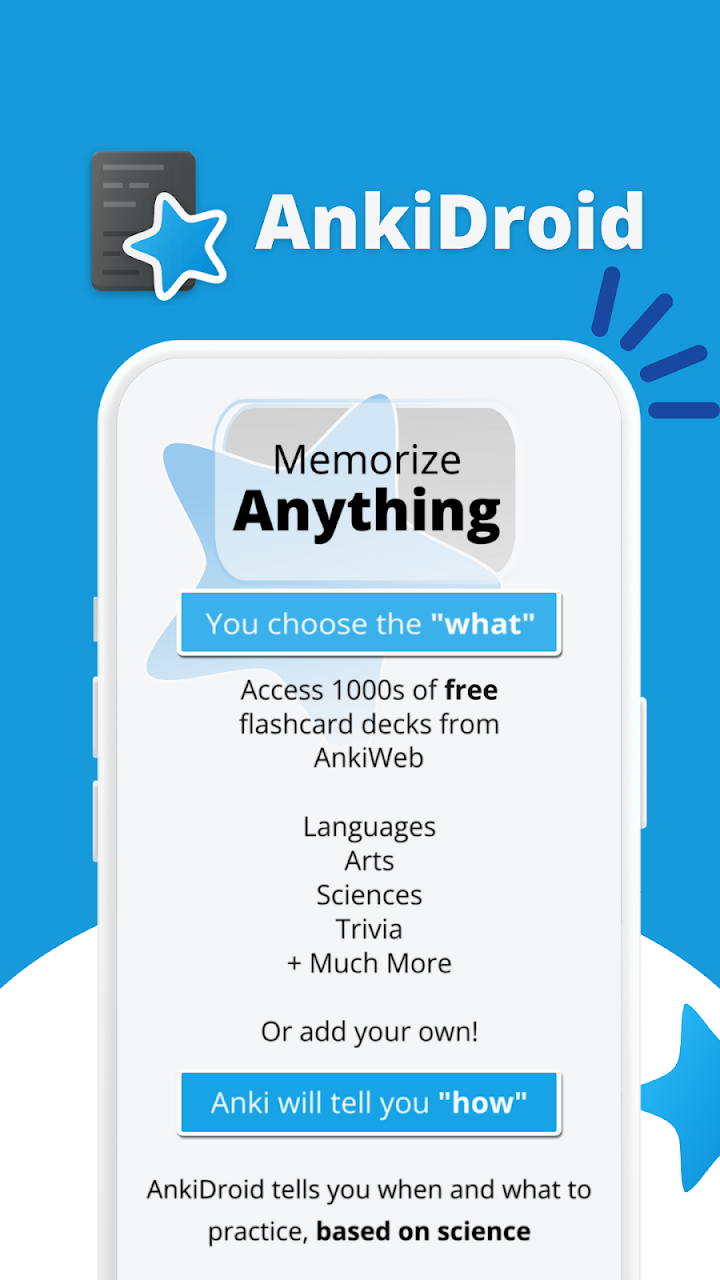
AnkiDroid is the most powerful free study tool on Android, and it has no business model to be suspicious of. It is open source, contains no adverts and no in-app purchases, and its data is yours — stored locally, exportable, and syncable through AnkiWeb at no cost. It is also the single hardest app in this category to use well. The spaced repetition system is unforgiving of bad card design, and the most common failure mode is not a crash or a paywall: it is a user who makes 400 flashcards in a weekend, drowns in reviews three weeks later, and quits. Two corrections to the store description matter before you install. First, the listing still says "spaced repetition (supermemo 2 algorithm)" — that is outdated. AnkiDroid has supported FSRS, the modern scheduler, for some time now, and FSRS is the algorithm you should be using . Second, "thousands of premade decks" is true but misleading: most shared decks are badly made, and downloading them indiscriminately is the second-fastest way to fail. If you are willing to spend an evening learning the method, this app will outperform almost anything you can pay for. If you want something that just works on day one, it will not.
What AnkiDroid Actually Is
AnkiDroid is the Android client for Anki, the spaced repetition flashcard system created by Damien Elmes. The Android app is developed separately by the AnkiDroid Open Source Team — a group of volunteer contributors, not a company — and released under the GPL .
The core idea of spaced repetition is simple and well-evidenced. Instead of reviewing material on a fixed schedule, you review each card at the moment you are about to forget it. Easy material gets pushed further into the future; hard material comes back sooner. Over time this produces dramatically better retention per minute studied than rereading or highlighting, which is why medical students, language learners and professional exam candidates have used Anki for over a decade.
AnkiDroid is not a simplified version of the desktop app. It is a full client that shares the same file format and can sync with AnkiWeb, the free cloud service that keeps your collection consistent across Anki on Windows, macOS, Linux, ChromeOS, iOS and Android . Since the 2.16 series, AnkiDroid has used Anki's shared backend, which means scheduler behaviour and database handling are consistent with desktop rather than approximated .
The Play Store listing shows 10 million+ downloads and a rating in the mid-4s from a very large review base, and it carries an Editors' Choice badge. It is also available on F-Droid, which is the cleaner route if you want to verify what you are installing.
The Algorithm Correction: It Is Not SuperMemo 2 Any More
This is the most important correction in this article, and it affects how well the app works for you.
The store description says "spaced repetition (supermemo 2 algorithm)." That was accurate when it was written. SM-2 is the classic algorithm from the 1980s, and it is what Anki used for most of its history.
Anki now supports FSRS — Free Spaced Repetition Scheduler — which models memory using three variables (difficulty, stability and retrievability) instead of SM-2's single ease factor. In practice, FSRS achieves the same retention with meaningfully fewer reviews, and it can be tuned to your own review history rather than relying on generic defaults . AnkiDroid supports it, and it is the scheduler you should be using.
Why this matters practically:
- FSRS reduces review load for the same retention target, which is the single biggest quality-of-life improvement available to a long-term Anki user.
- It needs data to optimise. The algorithm learns from your review history, so it gets better after a few thousand reviews rather than immediately.
- The setting is not on by default in every build. Check your deck options and your AnkiDroid settings for the scheduler option rather than assuming it is active.
If you have been using AnkiDroid on SM-2 for years and have a large review history, switching is worth investigating — the optimisation is exactly what your accumulated data is for.
Why Anki Is Hard, and Where People Fail
The app is not difficult to install. It is difficult to use in a way that produces results, and the failure modes are consistent enough to list.
Failure 1: Making too many cards, too fast
This is the classic Anki trap. Cards are cheap to create and expensive to review. A new user excited about a subject makes 300 cards in a weekend, feels productive, and then three weeks later faces a daily review queue that takes ninety minutes. They stop. The app then punishes them with a backlog.
The fix is boring and effective: cap new cards per day. Ten to twenty new cards a day is a sustainable rate for most people. Set it deliberately and resist the urge to raise it.
Failure 2: Cards that are too big
A card asking "explain the causes of the First World War" is unanswerable and unlearnable. Cards work when they test one atomic fact or relationship. The Anki community's minimum-information principle exists because granular cards are easier to grade honestly and easier to recall.
Failure 3: Downloading decks you do not understand
Shared decks are genuinely useful — there are excellent decks for languages, anatomy, medical licensing exams and specific qualifications. But most shared decks are poorly structured, full of oversized cards, and written by someone else for their own learning style. Downloading five of them at once is how people end up with a 20,000-card collection they never open.
Pick one deck, on one subject, that is well-reviewed and recent. Or make your own for the material you are actually being tested on.
Failure 4: Not grading honestly
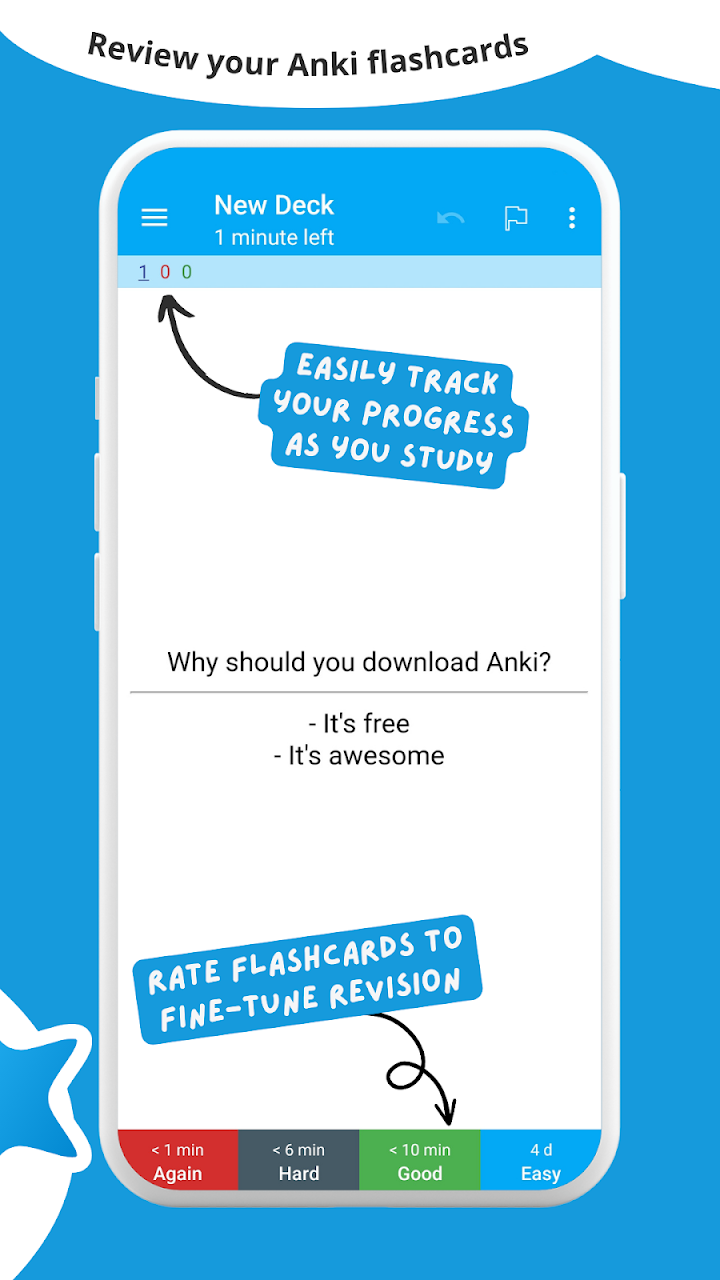
The scheduler is only as good as the buttons you press. Pressing "Good" when you actually struggled teaches the algorithm the wrong thing, and you will see the card again far too late. The four-button grading system is not a formality — it is the input to the entire system.
What You Get, and What It Costs
AnkiDroid is free, and unlike most free apps this is not a funnel.
- No adverts. None, anywhere.
- No in-app purchases. There is nothing to buy inside the app.
- No subscription. There is no paid tier.
- No account required. You can use it entirely locally. AnkiWeb sync is optional and free.
That is possible because it is a volunteer open-source project rather than a business. The cost of using AnkiDroid is not money — it is time, in the form of learning the method.
Two financial details worth knowing before you commit to the ecosystem:
- AnkiWeb is free, and it is what syncs your collection across devices. There are storage limits for media, but for text-based decks it is not a constraint most people hit.
- The iOS app, AnkiMobile, is paid — around $25 — and it is the only official iOS client. This surprises people who assume "Anki is free." The Android app is free because it is developed by volunteers; the iOS app is paid because it funds the desktop development. If you are an iPhone user in an otherwise Android household, budget for it.
The Features That Actually Matter
The store listing runs to over twenty bullet points. Here is what is genuinely important in daily use.
AnkiWeb sync — essential if you use more than one device
Sync keeps your collection consistent across desktop and Android. It works, but it is the most common source of frustration for new users: sync conflicts. If you review on two devices without syncing between sessions, Anki has to choose which version to keep, and it will ask you. The safe habit is to sync when you open the app and when you close it. Doing this reliably means never losing reviews.
Card editor and browser
You can create and edit cards on the phone, and the card browser lets you search, filter and bulk-edit your collection. Editing long-form cards on a phone keyboard is tedious, which is why many users create on desktop and review on mobile. That workflow is well supported and is the one most people settle into.
Statistics
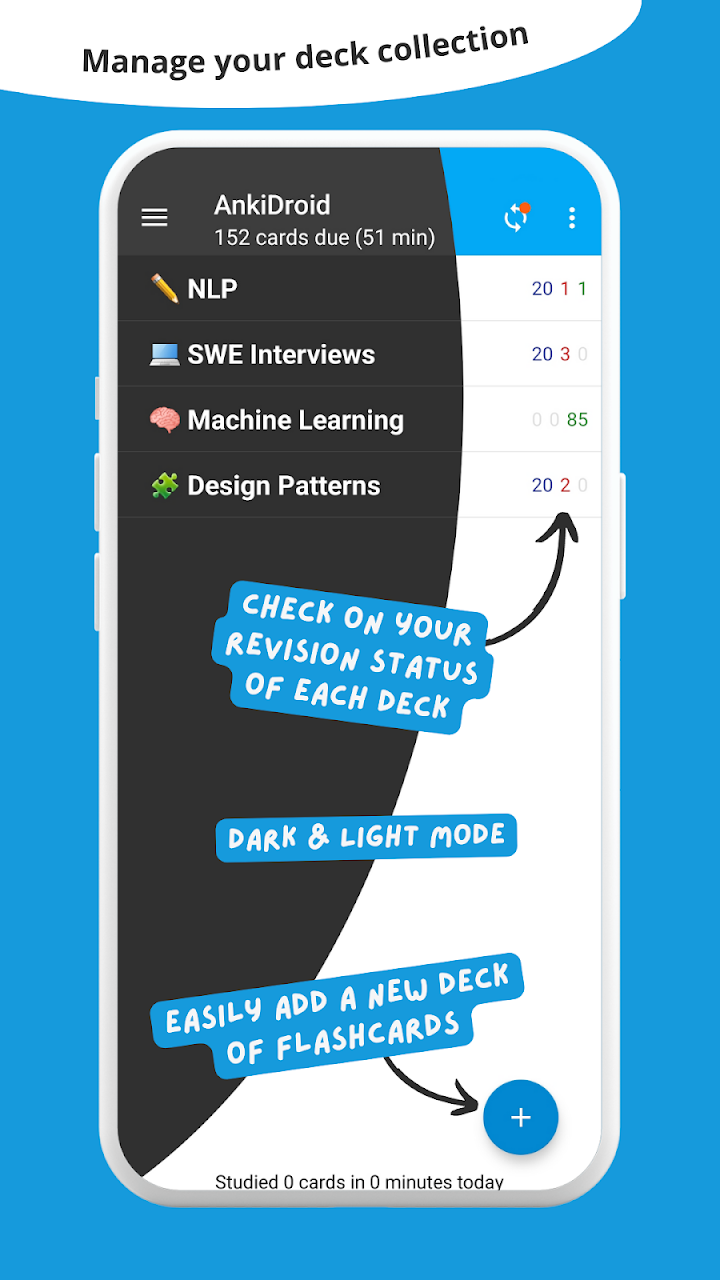
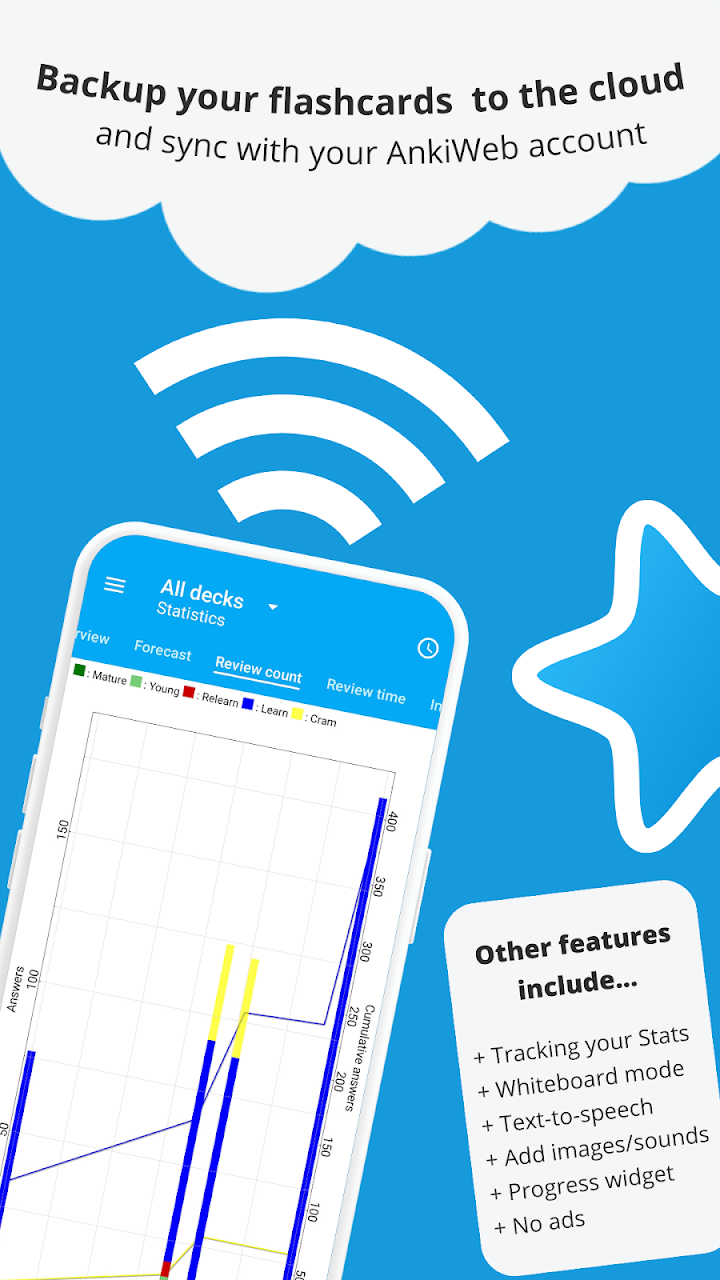
Detailed statistics are available, and they are genuinely useful once you have a few weeks of data — review counts, retention rates, forecast of upcoming workload. The forecast graph in particular is a good early warning system: if it shows a wall of reviews in ten days, you made too many new cards today.
Text-to-speech and audio
Cards can include images, audio and MathJax. Text-to-speech integration is useful for language learning, and it is one of the features that makes AnkiDroid genuinely competitive with paid language apps for vocabulary work.
Widget and dark mode
A progress widget shows your due count on the home screen, and dark mode is available. Small features, but they matter for an app you open several times a day.
Import and export
You can import collection files created in Anki Desktop, and export your collection in full. The export point is worth emphasising: your data is portable and not locked in. That is not true of most study apps, and it is the main reason to prefer Anki over a subscription service.
Add cards from other apps
AnkiDroid accepts card additions via Android's share intent, which means you can send a word or phrase from a dictionary app directly into a deck. It is a small feature that removes a lot of friction from vocabulary building.
How It Plays on a Phone
AnkiDroid is a portrait-first app with a tablet layout, and it is well suited to the format. Reviewing a card takes one tap for the answer and one tap to grade. There is no virtual stick, no gesture to learn, and no controller support to worry about — the interaction model is inherently simple.
The friction is the keyboard. Creating and editing cards on a phone is slow compared with desktop, and if you are building a deck from scratch, you will want to do it on a computer. Reviewing on the phone is excellent; authoring on the phone is tolerable.
Performance is not a concern for normal collections. Very large collections — tens of thousands of cards with lots of media — can slow loading and sync, and the app's database operations are heavier than a simple note app's. For typical use, it is fast.
Offline use is complete. Reviewing works entirely without a connection. Sync requires one, but you can review for days offline and sync when convenient. That makes it a good commute and travel tool.
One thing to set up early: backup. The app has a full backup system, and you should confirm it is running before you invest months of review history. Sync is not a backup — a mistake on one device propagates to the other. Use both.
Where It Falls Short
- The learning curve is the product. The app does not teach you how to make good cards, set sustainable limits, or grade honestly. You have to learn that elsewhere, and if you do not, the app will feel like a punishment.
- Sync conflicts are confusing for new users, and resolving them requires understanding which side to keep.
- Authoring on a phone is slow. Desktop is the better place to build decks.
- Shared decks are a minefield. Thousands exist; most are not good; the app does nothing to help you tell them apart.
- Interface is functional, not elegant. It is a power tool, and it looks like one. There is no polish budget here.
- The iOS counterpart costs around $25, which trips up cross-platform households.
- The store description is partly outdated, most notably on the algorithm.
- No built-in card-quality guidance. Nothing stops you making 400 bad cards, and nothing warns you until the review queue arrives.
Beginner Tips That Actually Prevent Failure
- Cap new cards at 10–20 per day. This is the single most important setting in the app. Raise it only after a month of consistently clearing your queue.
- Make one card per fact. If a card has two answers, split it. If it needs a paragraph, it is not a card.
- Check whether FSRS is enabled. The listing still describes SM-2, but FSRS is the modern scheduler and reduces your review load. Look in deck options and settings rather than assuming.
- Sync on open and on close. This habit prevents almost every sync conflict. Do it every session, not occasionally.
- Pick one shared deck, not five. Choose a well-reviewed deck on a single subject, or build your own for the material you are actually being tested on.
- Grade honestly. If you hesitated, it was not "Easy." The scheduler learns from your buttons, and dishonest grading makes the whole system worse.
- Enable backups and verify them. Sync is not a backup. Confirm the automatic backup is running before you accumulate months of history.
- Build on desktop, review on mobile. Use Anki on a computer for authoring and AnkiDroid for daily review. This is the workflow most long-term users settle into.
- Watch the forecast graph. A wall of reviews appearing in ten days is a warning about today's new-card count.
- If you are on iOS too, budget for AnkiMobile. It is around $25 and it is the only official client. There is no free workaround that is worth the friction.
Pros and Cons
| Pros | Cons |
|---|---|
| Completely free — no ads, no IAP, no subscription | Steep learning curve; the app does not teach the method |
| Open source and available on F-Droid | Sync conflicts confuse new users |
| FSRS support reduces review load versus SM-2 | Store description still says "SuperMemo 2," which is outdated |
| Full Anki compatibility and AnkiWeb sync at no cost | Authoring cards on a phone is slow |
| Data is local, exportable and not locked in | Shared decks are a minefield of poor quality |
| Works fully offline | Interface is functional rather than polished |
| Text-to-speech, audio, images and MathJax support | iOS client costs around $25 |
| 10M+ installs, Editors' Choice, over a decade of development | No safeguards against making too many bad cards |
Who Should Use It
Install it if you have material you genuinely need to retain long-term — a language, a professional qualification, anatomy, legal or medical content — and you are willing to spend an evening learning how spaced repetition actually works. It is also the right choice for anyone who refuses to pay a subscription for study tools, or who wants their notes and flashcards to remain portable.
Skip it if you want a study app that works on day one without configuration. Anki rewards investment and punishes shortcuts, and there is no version of it that is casual. It is also worth skipping if you only need to cram for something next week — spaced repetition is a long-horizon tool and is genuinely worse than rereading for short-term recall.
Consider a simpler alternative if you want flashcards without the method. Quizlet and Brainscape are easier to start and considerably worse at long-term retention. The trade is real in both directions, and it is worth being honest that Anki is not the right tool for everyone.
Frequently Asked Questions
Is AnkiDroid free?
Yes, completely. It is open source with no adverts, no in-app purchases and no subscription. It is available on Google Play and F-Droid.
Does it still use the SuperMemo 2 algorithm?
The store description says so, but that is outdated. Anki and AnkiDroid now support FSRS, the modern scheduler, which typically achieves the same retention with fewer reviews . Check your deck options to confirm which scheduler is active.
Do I need to pay for AnkiWeb sync?
No. AnkiWeb sync is free. There are storage limits for media, but text-based decks are not constrained in practice.
Why does the iPhone app cost money if this one is free?
AnkiDroid is developed by volunteers. AnkiMobile on iOS costs around $25 and is the only official iOS client; the revenue supports Anki's desktop development. There is no free official iOS alternative.
Can I use it without an internet connection?
Yes. Reviewing works entirely offline. Sync requires a connection but can be done whenever convenient.
What are the best shared decks?
Well-reviewed decks on a single subject are the safest bet — language decks, medical and anatomy sets, and decks built for specific qualifications. Avoid downloading several large decks at once. The app does not assess deck quality for you, so read reviews before committing.
How many new cards should I do per day?
10–20 is sustainable for most people. The most common Anki failure is adding hundreds of new cards in a burst and being unable to keep up with the resulting review queue.
How do I stop sync conflicts?
Sync when you open the app and when you close it, every session. Conflicts happen when two devices are reviewed independently and then synced, forcing Anki to choose which version to keep.
Is my data locked in?
No. Your collection is stored locally, exportable in full, and compatible with Anki on desktop and other platforms. That portability is one of the strongest arguments for Anki over subscription study apps.
Is it suitable for children?
The app is a study tool with no inappropriate content, and spaced repetition is genuinely useful for school-age learners. The consideration is supervision: children will need help setting sustainable limits and making good cards, or they will hit the same overwhelm adults do.
Availability and Pricing
AnkiDroid is developed by the AnkiDroid Open Source Team and released under the GPL. It is free on Google Play and F-Droid, with no adverts, in-app purchases or subscriptions. AnkiWeb sync is free. The desktop Anki application is free; the iOS client, AnkiMobile, is a paid app of around $25.
Before installing, check the current store listing for the latest version and Android requirement, and confirm your deck-building workflow — desktop authoring plus mobile review is the most reliable setup.
Official site: apps.ankiweb.net
AnkiDroid documentation: docs.ankidroid.org
Source code: github.com/ankidroid/Anki-Android
F-Droid: f-droid.org — AnkiDroid
Disclosure: NovaRunway is an independent app and game discovery site. We are not affiliated with, endorsed by, or sponsored by the AnkiDroid Open Source Team, Anki, or any of their contributors. All trademarks and intellectual property belong to their respective owners. This article reflects our editorial assessment based on the current Android build and publicly available documentation, and is provided for informational purposes. Features, scheduler behaviour and pricing on other platforms may change — verify with the official documentation before relying on any feature.